How to Optimize Your Meta Title and Description for Higher Click Through Rate
To write meta descriptions that increase click through rate, lead with the benefit or answer, match the exact search intent, include the primary keyword so it bolds in the results, add a specific number or proof point, and end with a light call to action. Keep it under 155 characters so Google does not truncate it. The title tag does most of the heavy lifting, so put your keyword near the front, promise a clear outcome, and stay under about 60 characters. Done together, these two snippets are the free ad copy that decides whether your ranking actually earns traffic.
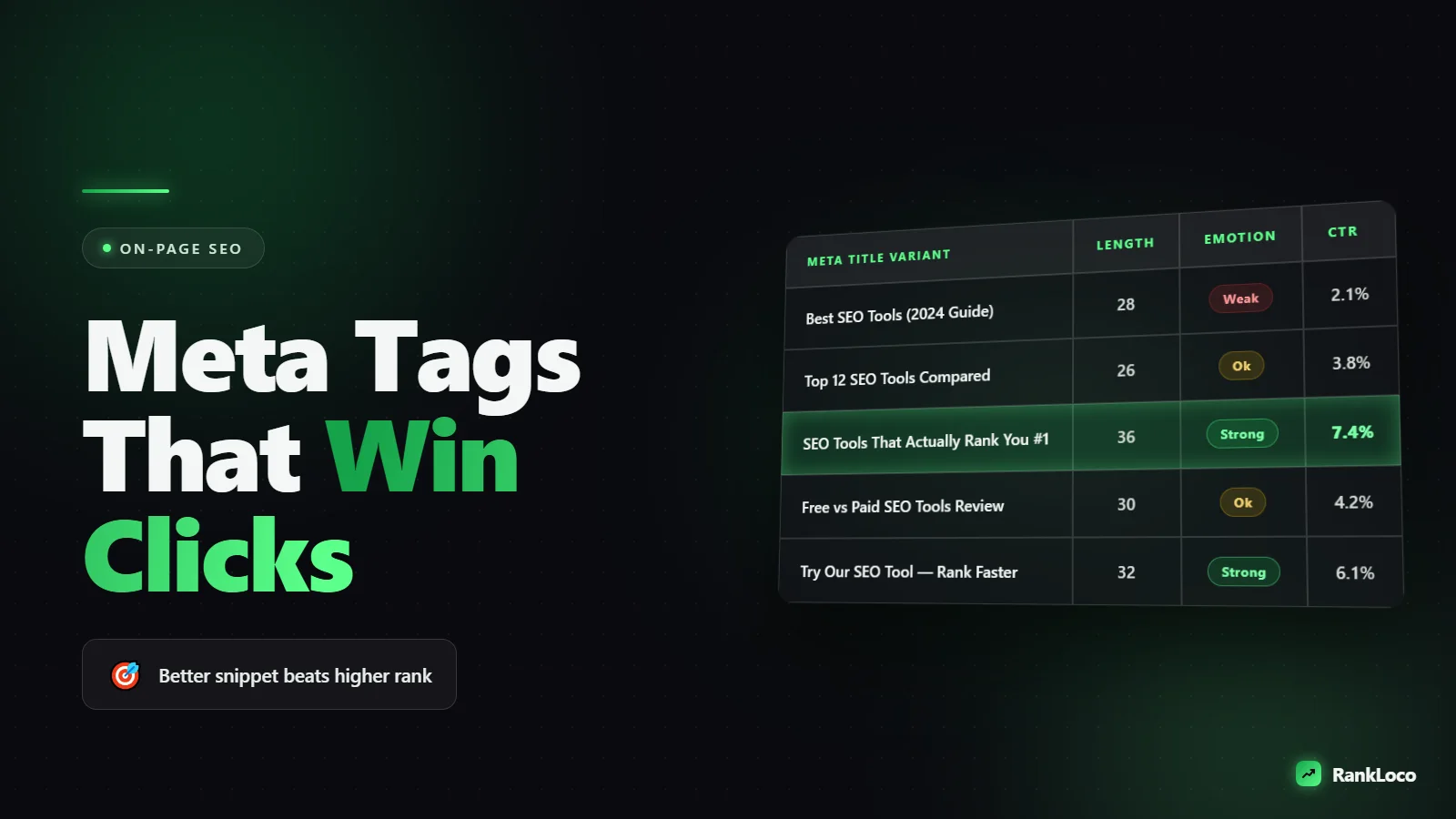
Here is the thing most people miss: you can rank #3 and out-click the #1 result if your snippet is better written. Ranking is only half the game. The other half is convincing a human to choose your blue link over nine others. This guide walks through exactly how to do that, with real formulas and examples.
Why Click Through Rate From Search Matters More Than You Think
Every position on the search results page has an average click through rate (CTR). Position one gets the biggest share, and it drops fast after the top three. But those numbers are averages. A dull snippet in position two can lose clicks to a sharp snippet in position four. Google also watches how often people click your result. If your snippet consistently outperforms its position, that is a signal you are giving searchers what they want.
Improving CTR is one of the fastest wins in SEO because you do not need new backlinks or new content. You are just rewriting two lines of text on pages that already rank. If your rankings are solid but traffic is flat, this is often the first place to look. It pairs well with the work in our guide on finding your top organic landing pages and what to do with them, since those pages are where CTR gains compound fastest.
How to Write a Meta Title That Wins the Click
The title tag (the clickable blue headline) is the single biggest lever for CTR. Get this right before you touch the description.
Keep it under 60 characters so it does not get cut off
Google truncates titles at roughly 580 pixels, which works out to about 55 to 60 characters for most words. Anything longer gets replaced with an ellipsis, and your best words might vanish. Front-load the important stuff.
Put the primary keyword near the front
Words at the start of a title carry more weight for both relevance and scannability. If someone searches "meta description length," a title that starts with "Meta Description Length" gets recognized instantly. It also bolds the matching terms, which draws the eye.
Add a modifier that signals value
Words like "guide," "checklist," "examples," "2025," "fast," or "step by step" tell searchers what they are getting. Numbers work especially well because they promise a concrete, digestible format. "7 Meta Title Formulas" beats "Meta Title Tips."
Do not stuff, do not duplicate
One keyword per title, plus one natural variation at most. Repeating your brand or the same phrase twice wastes pixels and looks spammy. If two pages have near-identical titles, you may have a bigger problem: read our breakdown on how to find and fix keyword cannibalization before you rewrite anything.
How to Write Meta Descriptions That Increase Click Through Rate
Google rewrites descriptions about 60 to 70 percent of the time, pulling text from your page when it thinks that answers the query better. That does not mean skip them. A good description still gets used for high-intent queries, and it is your one chance to control the pitch. Here is the process.
Answer the query in the first sentence
Do not warm up. If the search is "how to fix a leaky faucet," start with the answer or the promise of it. Searchers scan the first few words and move on if they do not see relevance. Mirror the language of the query.
Include the keyword so it bolds
Google bolds terms in the description that match the search. That bolding is a visual magnet. Work your primary keyword and one close variation in naturally, ideally early.
Lead with the benefit, then add proof
Tell them what they get and why to trust it. Specifics beat adjectives. "Cut your load time in half with these 9 fixes" beats "Learn about improving your site speed." Numbers, timeframes, and outcomes make a description feel real.
Add a call to action that fits the intent
For informational queries: "See the full checklist." For commercial queries: "Compare pricing" or "Get a free quote." Match the CTA to where the searcher is in their journey. A hard sell on an informational query kills clicks.
Stay under 155 characters
Google displays roughly 155 to 160 characters on desktop and less on mobile. Write the most important part in the first 120 characters so it survives on every device. Never leave the description blank, or Google will grab a random sentence from your page.
Meta Title and Description Formulas That Work
Steal these templates and fill in the blanks. They cover the most common intent types.
| Intent | Title Formula | Description Formula |
|---|---|---|
| How-to / informational | How to [Outcome] (in [Number] Steps) | [Answer in one line]. Follow this [number]-step method to [benefit]. See examples inside. |
| List / roundup | [Number] [Best/Top] [Thing] for [Audience] | Compare the [number] best [thing] for [audience], with pros, pricing, and who each is for. |
| Commercial / buyer | [Service] in [Location] | [Brand] | [Benefit statement]. [Proof point like years or reviews]. Get a free quote today. |
| Comparison | [A] vs [B]: Which Is Better in [Year]? | Honest [A] vs [B] comparison on price, features, and speed. See which one wins for [use case]. |
| Product page | [Product Name] | [Key Benefit] | [Brand] | [Key benefit]. [Spec or differentiator]. Free shipping and [guarantee]. Shop now. |
For buyer-intent pages specifically, the snippet has to sell as hard as the page. Pair these formulas with our guide on how to optimize a service page for buyer intent keywords so the click leads somewhere that converts.
A Meta Tag Optimization Checklist
Run every important page through this before you publish:
- Title under 60 characters and keyword near the front.
- Description under 155 characters with the key message in the first 120.
- Primary keyword appears in both title and description, naturally.
- Unique across your site (no two pages share a title or description).
- Benefit or answer stated up front, not buried.
- A number or proof point where it fits (steps, years, reviews, results).
- Intent-matched CTA at the end of the description.
- No keyword stuffing and no ALL CAPS shouting.
- Brand name at the end of the title for commercial and homepage-level pages.
- Reads like a human wrote it, not a template robot.
How to Find Which Pages to Fix First
Do not rewrite tags at random. Prioritize by opportunity. Open Google Search Console, go to the Performance report, and look for pages with high impressions but low CTR. Those are ranking well and getting shown a lot, but the snippet is not converting the view into a click. That is your fastest win. If you have not set that up yet, follow our walkthrough on how to set up Google Search Console for a new website.
Sort your queries by average position too. A page sitting at position 4 to 8 with decent impressions is prime for a title rewrite that could push both CTR and ranking. Use RankLoco to track those keyword positions over time so you can see whether a rewrite actually moved the needle, not just guess.
Benchmark before you change anything
Record the current CTR for each page you plan to edit. Change the title and description, then wait two to four weeks for Google to recrawl and gather enough click data. Compare against your benchmark. Change one page at a time if you can, so you know what caused the shift.
Common Mistakes That Kill Your Click Through Rate
Even experienced marketers make these:
- Writing for the algorithm, not the human. Keyword-stuffed titles read like a robot and get skipped.
- Letting Google auto-generate everything. Blank descriptions mean random page text shows up.
- Duplicate tags across a CMS. Templated titles like "Product | Store" on every page waste the pitch.
- Ignoring the SERP context. Search your keyword, look at what competitors wrote, and say something different or sharper.
- Overpromising. Clickbait that the page does not deliver spikes bounce rate and undoes the win. Keep the promise honest, and back it up with content that delivers, which also helps you reduce bounce rate on your blog pages.
Match Your Snippet to the SERP, Not Just the Keyword
Before writing, actually search your target keyword and study the results page. Are the top results all how-to guides? Comparison posts? Product listings? The dominant format tells you the intent Google has decided on. Your snippet should signal that you fit that intent while standing out. If everyone leads with "the ultimate guide," a specific number or a contrarian angle grabs attention. This same intent-first thinking drives how you should build a blog post outline that ranks from search intent, so the snippet and the content stay aligned.
Watch for SERP features too. If a featured snippet, People Also Ask box, or shopping results push the organic links down, your title and description have to work harder to earn a click from a smaller space. In those cases, competing for the featured snippet itself may be smarter, which we cover in the guide on how to optimize content for featured snippets and position zero.
Frequently Asked Questions
Does the meta description affect Google rankings?
No, the meta description is not a direct ranking factor. Google stopped using it for rankings years ago. It affects click through rate, which can indirectly influence rankings over time because Google notices when a result earns more clicks than its position would predict.
What is the ideal meta description length in 2025?
Aim for 120 to 155 characters. Google displays roughly 155 to 160 characters on desktop and fewer on mobile, so put your most important message and keyword in the first 120 characters. Anything longer risks getting truncated with an ellipsis.
Why did Google rewrite my meta description?
Google rewrites descriptions when it believes another passage on your page better matches the specific search query. This happens often, especially for long-tail searches. You cannot fully control it, but a clear, relevant, keyword-focused description increases the odds Google uses yours.
How long does it take to see CTR improvements after editing meta tags?
Google needs to recrawl the page first, which can take a few days to a couple of weeks. After that, wait another two to four weeks to gather enough click data for a fair comparison. Track it in Search Console against your before benchmark.
Should every page have a unique meta title and description?
Yes. Duplicate titles and descriptions confuse both users and Google, and templated tags waste your chance to pitch each page. Prioritize unique tags on your money pages and top organic landing pages first, then work down to lower-priority URLs.
Can I use emojis in my meta title or description?
You can, but Google often strips or ignores them, and they can look unprofessional in commercial niches. Test carefully. A single relevant symbol like a checkmark can occasionally lift CTR, but never rely on emojis to carry the message.


