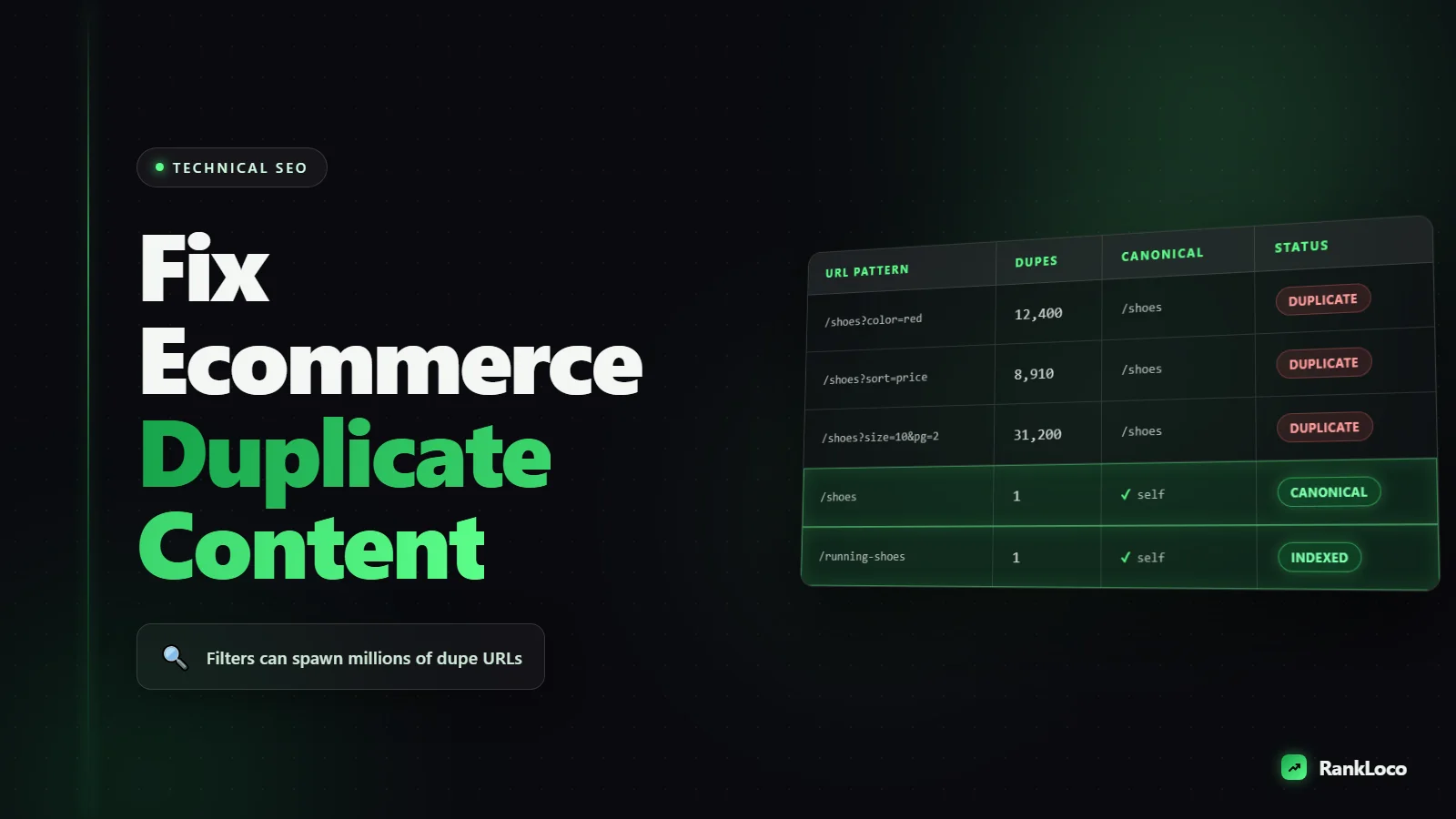
How to Fix Duplicate Content Issues on an Ecommerce Site
To fix duplicate content on an ecommerce site, set a self-referencing canonical tag on every product and category page, canonicalize or block parameter-based URLs (sorting, filters, session IDs) so Google indexes one clean version, and rewrite duplicate product descriptions with unique copy. Then confirm in Google Search Console that the pages you want are the ones being indexed. Most ecommerce duplicate content comes from URL parameters and manufacturer descriptions, not from someone stealing your pages.
Ecommerce platforms generate duplicates automatically. Filters spin up thousands of URL variations, product variants get their own pages, and printer-friendly views duplicate content wholesale. Google does not penalize you for this, but it does waste crawl budget and split ranking signals across near-identical pages. Here is exactly what causes it and how to clean it up.
What Actually Counts as Duplicate Content on Ecommerce Sites
Duplicate content is when substantially the same content is accessible at more than one URL, or when the same copy appears across many pages. Search engines have to pick one version to rank, and when they pick wrong (or split signals), your rankings suffer. On ecommerce stores it shows up in predictable places.
- URL parameters from faceted navigation:
/shoes?color=black&size=10and/shoes?size=10&color=blackserve the same products in a different order. - Sorting and pagination:
?sort=price-asc,?sort=newest, and?page=2all create crawlable variants. - Product variants: the same t-shirt in six colors sometimes gets six near-identical URLs.
- Manufacturer descriptions: you copied the supplier's product blurb, and so did 40 other retailers.
- Session IDs and tracking parameters:
?sessionid=or?utm_source=appended to indexable URLs. - HTTP vs HTTPS and www vs non-www: the same page reachable on four protocol/host combinations.
- Trailing slashes and case sensitivity:
/Product/and/productresolving separately.
Thin or empty category pages that recycle boilerplate also get lumped in as low-value duplicate-ish content. Fixing all of this is a core part of any technical SEO checklist that actually moves rankings.
Step 1: Find the Duplicates Before You Fix Anything
You cannot fix what you cannot see. Run these checks first so you know the scale of the problem.
- Search Console Pages report: go to Indexing > Pages and look at the "Duplicate" and "Alternate page with proper canonical tag" buckets. Also check "Crawled - currently not indexed," which is often filled with parameter junk.
- site: search with a snippet: paste a sentence from a product description into Google in quotes with
site:yourdomain.com. If more than one URL returns, you have internal duplication. - Crawl the site: use a crawler to flag pages sharing identical titles, meta descriptions, or H1s. Duplicate titles are the fastest signal of duplicate pages.
- Check the URL parameters: in Search Console's Pages report, filter the URL list and count how many contain
?. If parameter URLs outnumber clean ones, that is your priority.
Export a list of every duplicate cluster: the canonical version you want to keep, and the duplicates pointing at it. That list drives everything below.
Step 2: Set Canonical Tags Correctly on Every Page
The canonical tag (rel="canonical") tells Google which URL is the master version when duplicates exist. This is your single most important fix.
The rules that matter
- Every indexable page gets a self-referencing canonical pointing to its own clean URL (no parameters).
- Filtered and sorted variants (
?color=black,?sort=price) canonicalize to the clean category URL. - Use absolute URLs (
https://yourstore.com/shoes), not relative paths. - Canonical URLs must return a 200 status. Never canonicalize to a redirected or 404 page.
- Do not canonicalize paginated pages (
?page=2) back to page 1. Let each paginated page self-canonicalize so deeper products stay discoverable.
On Shopify, WooCommerce, Magento, and BigCommerce, self-referencing canonicals are usually on by default, but faceted-filter canonicals often are not. Test a filtered URL: view the page source and confirm the canonical points to the clean category page, not to the filtered version.
Canonical vs redirect vs noindex: which to use when
| Situation | Best fix |
|---|---|
| Filter/sort parameter versions of a category | Canonical to clean category URL |
| Same product at multiple category paths | Pick one URL, canonical the rest |
| Old product URL permanently gone | 301 redirect to closest match |
| Internal search results pages | Noindex |
| Thin filter pages with zero search demand | Noindex, follow |
| HTTP and www variants | 301 redirect to one canonical host |
Step 3: Tame Faceted Navigation and URL Parameters
Faceted navigation (the filter sidebar) is the number one source of ecommerce duplicate content. A store with 20 filters can generate millions of crawlable combinations. You need a policy for which filtered pages Google should index and which it should ignore.
- Decide which filters have search demand. "Black running shoes" is a real query worth an indexable page. "Running shoes sorted by newest, in stock only" is not. Do keyword research to find which filter combos people actually search for.
- Canonicalize the rest. Every non-valuable filtered URL should canonical to the parent category.
- Block infinite combinations in robots.txt if crawl budget is a problem. Disallow tracking and sort parameters so bots stop wasting crawls. Be careful: robots.txt blocks crawling, so pages blocked there cannot pass canonical signals. Use it for junk you never want crawled, not for pages you want consolidated.
- Add noindex, follow to thin filter pages you want crawled (for link discovery) but not indexed.
For filter combinations that DO have demand, turn them into proper landing pages with unique intro copy, a custom title tag, and internal links. That converts a duplicate problem into a ranking opportunity. If Search Console is throwing crawl warnings from all these URLs, work through how to fix crawl errors in Google Search Console alongside this.
Step 4: Handle Product Variants Without Splitting Signals
Color, size, and material variants create the trickiest duplicates because each variant is a real product a customer might want. Pick one of these approaches:
- Single product page with variant selectors (recommended for most stores): one URL, one canonical, variants swap via dropdowns or swatches. All ranking signals concentrate on one strong page.
- Separate variant pages that canonical to a parent: use this only when specific variants have real search demand ("iPhone 15 in blue 256GB"). Give each a unique title and description, but canonical minor variants to the main product.
Never let six identical color variants each have a full indexable page with the same description. That is the classic case of splitting signals across near-duplicates and ranking none of them well.
Step 5: Rewrite Duplicate Product and Category Descriptions
If you paste the manufacturer's description, you are publishing the same paragraph as every other retailer selling that item. Google has no reason to rank yours. This is external duplicate content, and canonical tags do not fix it.
What to prioritize
- Rewrite descriptions for your top revenue and top traffic products first. You will never rewrite 50,000 SKUs, so triage.
- Add genuinely useful detail: sizing notes, use cases, materials, comparisons, who it is for.
- Give category pages a short unique intro (100-200 words) that targets the category keyword instead of a generic boilerplate line.
- Layer in user reviews and Q&A. That is unique content that also helps conversions.
While you are editing product pages, tighten the metadata too. Our guide on writing title tags and meta descriptions that get clicks pairs well with this cleanup because duplicate titles are both a duplicate-content signal and a lost-click problem.
Step 6: Consolidate Domain and Protocol Duplicates
Make sure your store is reachable at exactly one address. Set 301 redirects so all of these collapse to a single canonical version:
- HTTP redirects to HTTPS
- www redirects to non-www (or the reverse, pick one)
- Uppercase URLs redirect to lowercase
- Trailing-slash rules are consistent site-wide
- Index files (
/index.html) redirect to the clean root
Confirm the redirects return a single 301 hop, not a chain. Redirect chains waste crawl budget and dilute link equity.
Step 7: Verify the Fix in Search Console
Fixes are not real until Google reprocesses them. After you deploy changes:
- Submit an updated XML sitemap containing only your canonical URLs.
- Use the URL Inspection tool on a few former duplicates and confirm Google reports your intended canonical as the "Google-selected canonical."
- Watch the Pages report over the next few weeks. "Duplicate without user-selected canonical" and "Crawled - currently not indexed" counts should drop, and your indexed clean-URL count should stabilize.
- Track rankings for your priority category and product keywords so you can confirm the consolidated pages are gaining, not losing, visibility. You can track keyword rankings for free or use RankLoco to run an ongoing site audit and rank tracking in one place.
Ecommerce Duplicate Content Fix Checklist
- Self-referencing canonical on every indexable product and category page
- Filter and sort parameters canonicalized to the clean category URL
- High-demand filter combos built as real landing pages with unique copy
- Session IDs and tracking parameters blocked or canonicalized
- Product variants consolidated to one page or canonicalized to a parent
- Top products and categories have unique, human-written descriptions
- Internal search result pages set to noindex
- HTTPS, www, case, and trailing-slash redirects all resolve to one version
- XML sitemap contains only canonical URLs
- No redirect chains
- Search Console confirms Google-selected canonicals match your intent
Strong internal links reinforce which pages you consider most important, which helps Google honor your canonical choices. If your category structure is messy, read our take on internal linking strategy and clean that up in the same sprint. For more technical walkthroughs, browse the rest of our SEO guides.
Frequently Asked Questions
Does duplicate content cause a Google penalty for ecommerce sites?
No. Google has stated there is no duplicate content penalty in almost all cases. The real damage is indirect: crawl budget wasted on redundant URLs, ranking signals split across near-identical pages, and Google indexing the wrong version. Fixing duplicates improves efficiency and consolidation, not penalty recovery.
Should I use canonical tags or 301 redirects for duplicate product pages?
Use a 301 redirect when a page is permanently gone and you want all traffic and link equity sent elsewhere. Use a canonical tag when both URLs need to stay accessible to users (like filtered category views) but only one should be indexed. Redirects remove the page; canonicals keep it but consolidate ranking signals.
How do I stop faceted navigation from creating duplicate URLs?
Canonicalize low-value filter and sort URLs to the parent category, block pure tracking or sort parameters in robots.txt, and add noindex to thin filter pages you still want crawled. For filter combinations with real search demand, build them into dedicated landing pages with unique copy instead of blocking them.
Can I just rewrite manufacturer product descriptions to fix duplicate content?
Rewriting descriptions fixes external duplication (the same copy across many retailers), which canonical tags cannot solve. But it does nothing for internal URL duplication from parameters and variants. You need both: unique descriptions for content, and canonicals or redirects for the URL structure. Prioritize rewriting your highest-traffic and highest-revenue products first.
How long does it take for duplicate content fixes to show results?
Google needs to recrawl and reprocess the affected URLs, which typically takes a few days to several weeks depending on your site's crawl rate. Submit an updated sitemap and use URL Inspection to speed discovery. Ranking improvements from consolidated signals usually follow within one to two months.
Do product pages with only color variants need separate URLs?
Usually not. If the only difference is color and there is no meaningful search demand for individual colors, keep one product page with variant swatches and a single canonical. Only create separate indexable variant pages when specific variants have genuine search volume, and even then canonical the minor ones to the main product.


