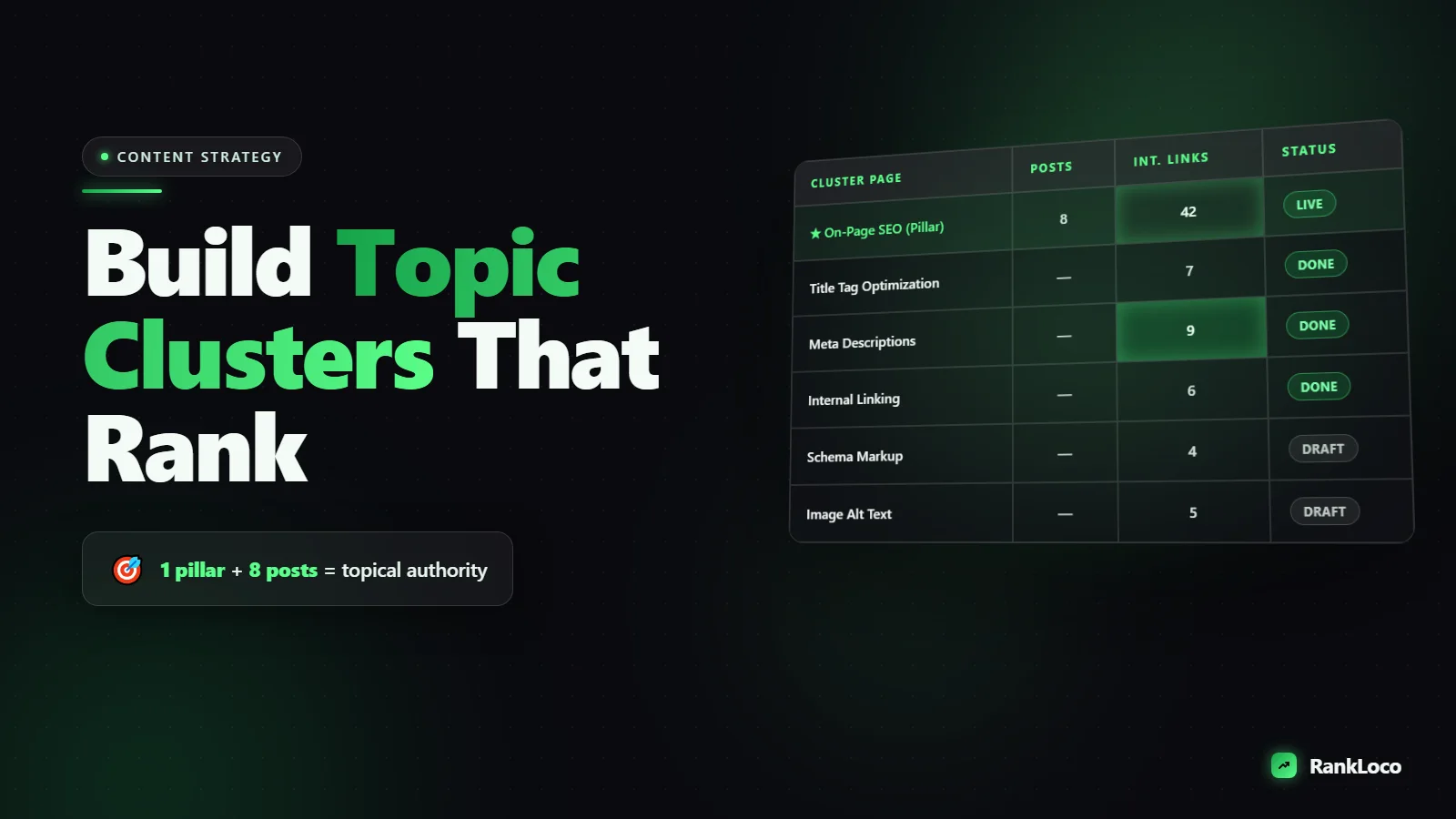
How to Build Topic Clusters and Pillar Pages for SEO
To build topic clusters for SEO, you pick one broad topic you want to rank for, create a comprehensive pillar page targeting the head keyword, then write multiple cluster posts that each target a specific long-tail subtopic and link back to the pillar (and to each other). This structure tells Google you cover a subject in depth, which lifts rankings across the whole cluster, not just one page. The core job is choosing the right pillar, mapping the right subtopics, and wiring the internal links correctly.
Below is the exact process I use to plan, build, and link clusters that actually move rankings, plus how to avoid the mistakes that make clusters cannibalize each other.
What a topic cluster actually is
A topic cluster has three parts:
- Pillar page: a long, broad page targeting a high-volume head keyword (for example, "email marketing"). It covers the topic at a wide level and links out to every cluster post.
- Cluster posts: focused articles each targeting one specific subtopic or long-tail query (for example, "email subject line length" or "best time to send emails"). Each one links back up to the pillar.
- Internal links: the connective tissue. Pillar links down to clusters, clusters link up to pillar, and related clusters link to each other.
The point is not to stuff keywords. It is to build a logical structure that proves depth of coverage and spreads link equity to the pages that need it. When you do this well, the pillar often ranks for dozens of terms you never directly targeted.
Step 1: Choose a pillar topic broad enough to support 8+ posts
A good pillar topic sits in the middle of the ladder: broad enough to spin off eight to twenty subtopics, but specific enough that your site can realistically compete. "Marketing" is too broad. "How to write a cold email subject line" is too narrow (that is a cluster post, not a pillar).
Test a candidate pillar by asking: can I list at least 8 distinct questions or subtopics under it that each deserve their own article? If yes, you have a pillar. If you can only think of 3, it is probably a cluster post that belongs under a bigger pillar.
Tie the pillar to a business goal too. The best pillars sit close to what you sell, so the traffic converts. If you run an SEO tool, "keyword research" is a stronger pillar than "history of search engines" even if both get traffic.
Pillars that match commercial intent beat vanity topics
Rank a pillar you can monetize. Check whether the head keyword pulls informational or commercial results, and whether ranking there puts you in front of buyers. If you are unsure which keywords are winnable for a newer site, read why keyword difficulty scores mislead new sites before you commit a month of writing to a pillar you cannot rank for.
Step 2: Map subtopics with keyword research, not guesses
Your cluster posts should map to real search demand. Do not brainstorm in a vacuum. Pull the actual questions and long-tail phrases people search around your pillar.
Sources I use, in order:
- Google autocomplete and People Also Ask. Type your pillar keyword and record every suggestion and related question. This is the fastest way to surface real phrasing. Here is a full method for mining long-tail keywords using autocomplete and People Also Ask.
- Keyword tools. Expand the head term to find subtopics with volume and intent. You can start with free keyword research tools or use RankLoco to pull related terms, volume, and difficulty in one view.
- Competitor coverage. See what subtopics competitors rank for that you do not. A proper content gap analysis against your competitors often reveals five or six cluster posts you would never have guessed.
- Your own "answer the obvious questions" list. Anything a real customer asks about the topic deserves consideration.
Group the results into tight themes. Each theme becomes one cluster post with one primary keyword. If two phrases mean the same thing ("best time to send email" vs "optimal email send time"), they go on one page, not two. That prevents cannibalization before it starts.
Step 3: Build the cluster map before you write a word
Lay out the whole cluster in a spreadsheet so you can see the structure. One row per URL.
| Page | Type | Primary keyword | Intent | Links to |
|---|---|---|---|---|
| /keyword-research | Pillar | keyword research | Informational | All cluster posts |
| /long-tail-keywords | Cluster | long tail keywords | Informational | Pillar + 2 related clusters |
| /keyword-difficulty | Cluster | keyword difficulty | Informational | Pillar + 1 related cluster |
| /search-intent | Cluster | search intent | Informational | Pillar + 2 related clusters |
This map does three jobs: it stops you from writing two posts about the same thing, it shows you the internal linking plan up front, and it gives you a publishing checklist. Build the full map even if you will only write two posts this month. You want the structure defined so every new post slots in cleanly.
Step 4: Write the pillar page as a real resource, not a thin hub
A common mistake is making the pillar a skinny table of contents that just links to the cluster posts. Google does not reward that. The pillar should be a genuinely useful, comprehensive page (often 2,000 to 4,000 words) that covers the whole topic at a high level and answers the head query well enough to rank on its own.
Structure the pillar like this:
- Open with a direct answer to the head keyword (snippet-first).
- Use H2 sections that correspond loosely to your cluster subtopics.
- In each section, summarize the subtopic in a few paragraphs, then link to the full cluster post for people who want the deep dive.
- Write naturally and for humans. If you need a refresher on balance, see how to write SEO-friendly blog content that reads naturally.
The pillar earns the bulk of your backlinks, so make it link-worthy. Original frameworks, a clear checklist, or a strong table all help it attract links that then flow down to the clusters.
Step 5: Wire the internal links correctly
Internal linking is where most clusters fall apart. The rules:
- Every cluster post links up to the pillar using descriptive anchor text that includes the pillar keyword.
- The pillar links down to every cluster post. Do this as you publish each one.
- Related clusters link to each other where it genuinely helps the reader, not randomly.
- Keep anchor text varied and natural. Do not use the exact same keyword-rich anchor on every link. Over-optimizing anchors can backfire; here is how to optimize anchor text for internal links without over-optimizing.
Think of the pillar as the hub of a wheel and the cluster posts as spokes. Link equity should flow freely both ways. When a cluster post earns a backlink, some of that authority passes to the pillar and out to sibling posts, lifting the whole cluster.
Avoid keyword cannibalization inside the cluster
Two pages competing for the same keyword split your ranking signals and confuse Google. Prevent it by giving every page one clear primary keyword, by consolidating near-duplicate ideas into a single post, and by checking Search Console for pages ranking for the same query. If you already have overlapping pages, pick the stronger one, merge the content, and use a canonical or 301 to consolidate. Our guide on how to fix duplicate content issues with canonical tags covers the cleanup.
Step 6: Publish, index, and track the whole cluster
Once posts go live, make sure Google can find them. Confirm they are in your XML sitemap submitted to Search Console and check for any crawl errors that would block indexing.
Then track the cluster as a unit, not as isolated pages. You want to know whether the pillar and all its clusters are climbing together. Set up rank tracking for the pillar keyword plus the primary keyword of each cluster post, and watch the trend over weeks. RankLoco makes this easy by grouping keywords so you can see cluster-level movement, and this guide on how to track keyword rankings over time shows how to read the progress.
Topic cluster build checklist
- Picked a pillar topic broad enough for 8+ subtopics and tied to a business goal
- Confirmed the head keyword is winnable for your site
- Mined subtopics from autocomplete, People Also Ask, keyword tools, and competitor gaps
- Grouped phrases so each cluster post has one unique primary keyword
- Built a cluster map spreadsheet with the internal linking plan
- Wrote the pillar as a comprehensive standalone resource
- Linked every cluster up to the pillar and the pillar down to every cluster
- Added relevant cross-links between sibling cluster posts
- Varied anchor text to avoid over-optimization
- Checked for cannibalization and consolidated duplicates
- Confirmed indexing and set up rank tracking for the whole cluster
How long before a cluster ranks
Clusters compound. You will usually see the first cluster posts (the long-tail, low-competition ones) rank fastest, often within a few weeks to a couple of months. The pillar takes longer because it targets a harder term and needs the supporting posts plus some backlinks to compete. Expect three to six months for the full structure to mature, longer on a newer domain. Start with the easiest cluster posts to build momentum, then strengthen the pillar as the spokes gain traction. If your site is new, prioritize low-competition keywords for your first clusters so you get wins on the board.
Frequently Asked Questions
How many posts do I need in a topic cluster?
Aim for a pillar plus at least 6 to 10 cluster posts to show meaningful depth. There is no hard cap: large clusters can have 20 or more. What matters is that each cluster post covers a distinct subtopic with its own primary keyword, not that you hit a specific number.
What is the difference between a pillar page and a cluster post?
A pillar page targets a broad head keyword and covers the whole topic at a high level, linking out to all supporting posts. A cluster post targets one specific long-tail subtopic in depth and links back up to the pillar. The pillar is wide, each cluster post is narrow and detailed.
Can a blog post belong to more than one topic cluster?
Yes, but keep it clean. A post can link to two pillars if it genuinely relates to both, but assign it one primary pillar for its main upward link. Spreading one post across too many clusters dilutes its focus and muddies your internal linking signals.
Do topic clusters help if my site is brand new?
They help a lot, because the structure concentrates relevance and internal link equity on a focused set of topics instead of scattering it. Start with one cluster around a topic close to what you sell, target the easiest cluster posts first, and expand once they start ranking.
How do I avoid keyword cannibalization when building clusters?
Give every page one unique primary keyword, consolidate near-duplicate topics into a single post, and check Search Console for multiple URLs ranking for the same query. If two pages overlap, merge them and use a 301 redirect or canonical tag to point to the stronger one.
Should the pillar page be a blog post or a landing page?
Either works. Informational pillars usually live as long blog posts or guides. If the head keyword has commercial intent, a pillar can be a service or category landing page that links to supporting blog posts. Match the format to what currently ranks for the head keyword.


